The map and the list
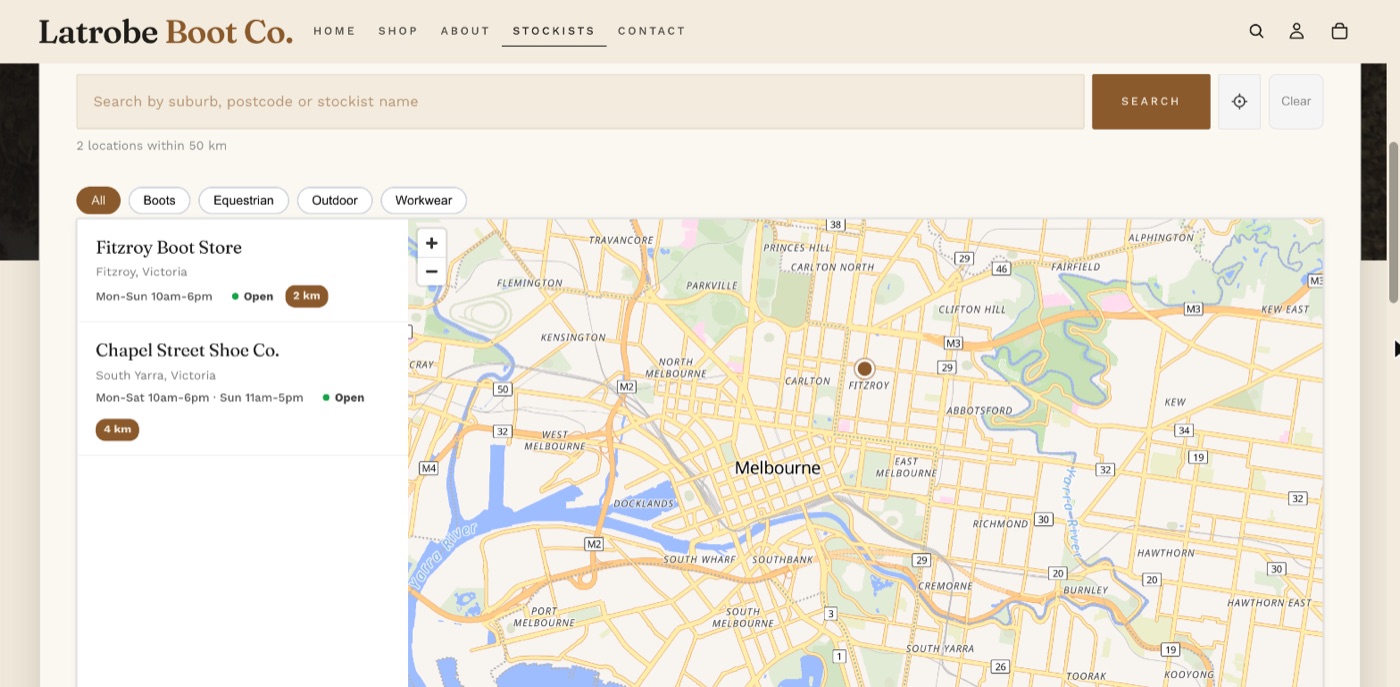
Shoppers see a map with a pin for each visible stockist and, beside or below it, a list of them. Pins group into numbered clusters when zoomed out and separate as the shopper zooms in.
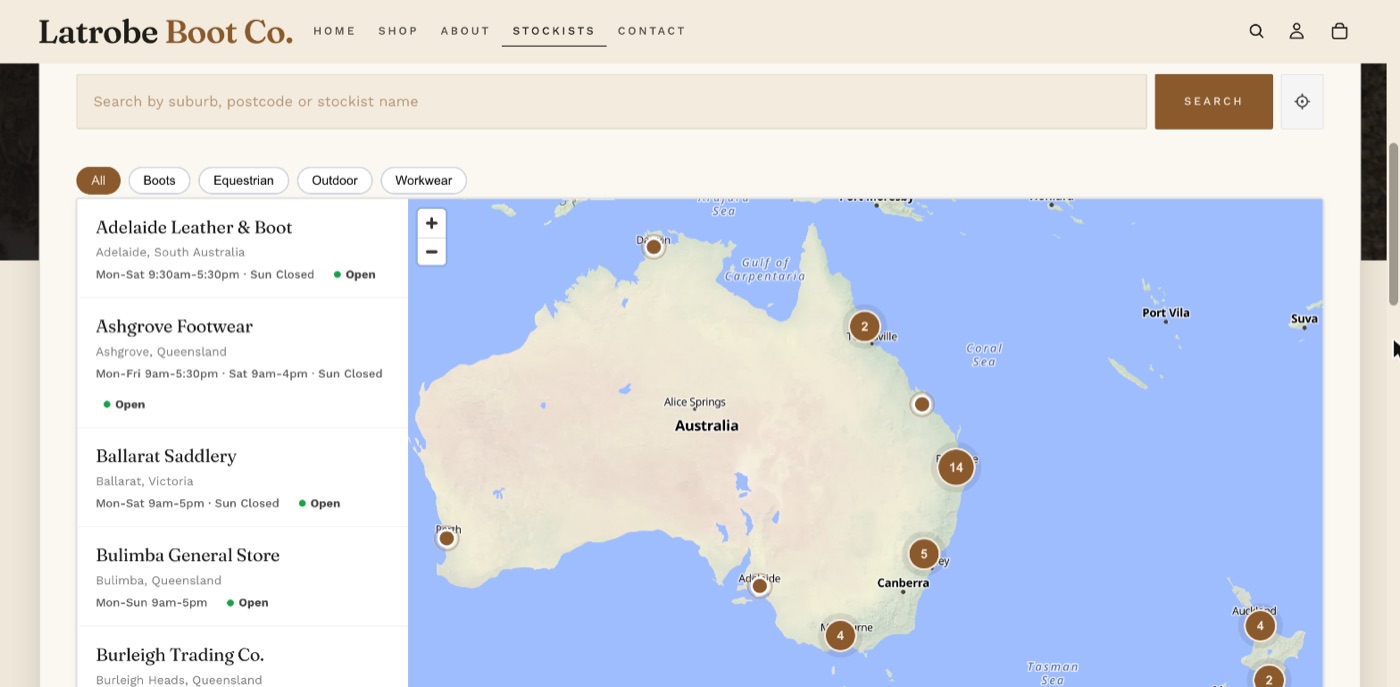
Each entry in the list shows the name, where it is, what it carries, opening hours with an Open or Closed badge, and the distance after a search. Clicking an entry or a pin opens a popup with the address, phone (tap to call), a Visit Website link, what it carries, and Get Directions, which opens Google Maps in a new tab.
Search
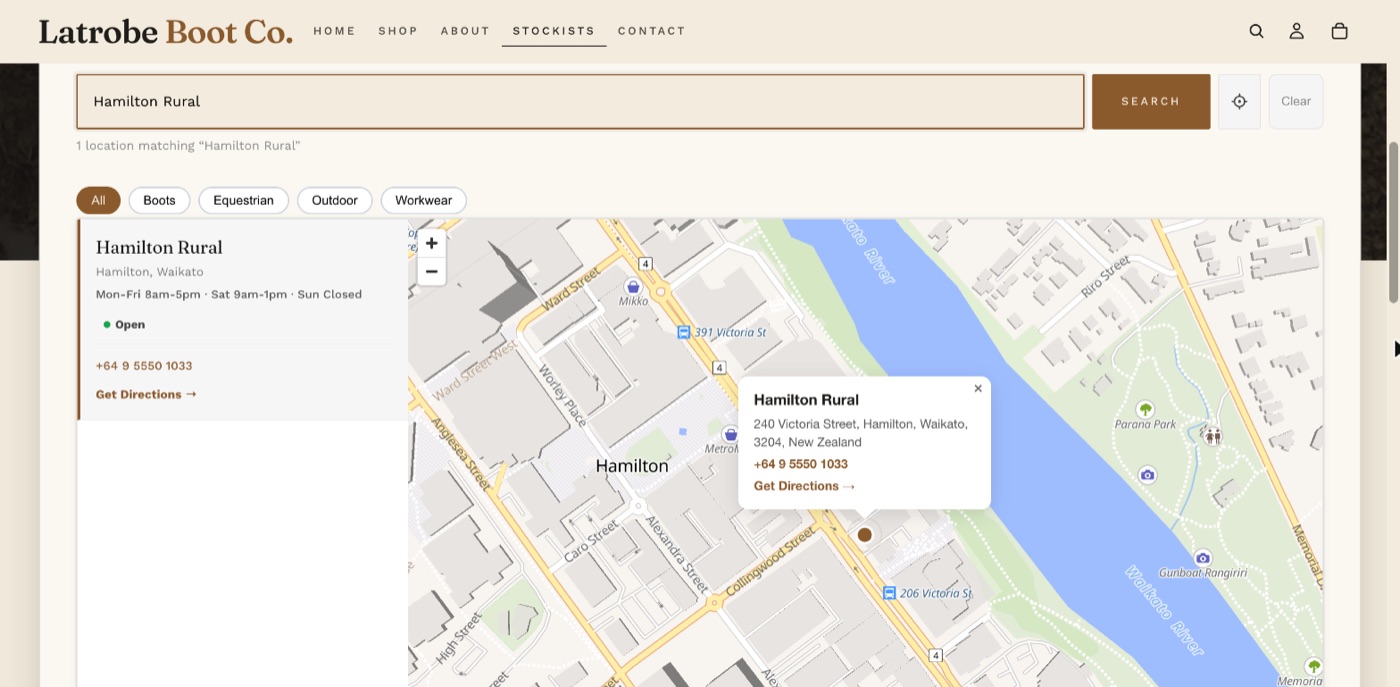
Shoppers type a suburb, city, postcode, address or a stockist's name and pick from the suggestions. Stockist names are listed first.
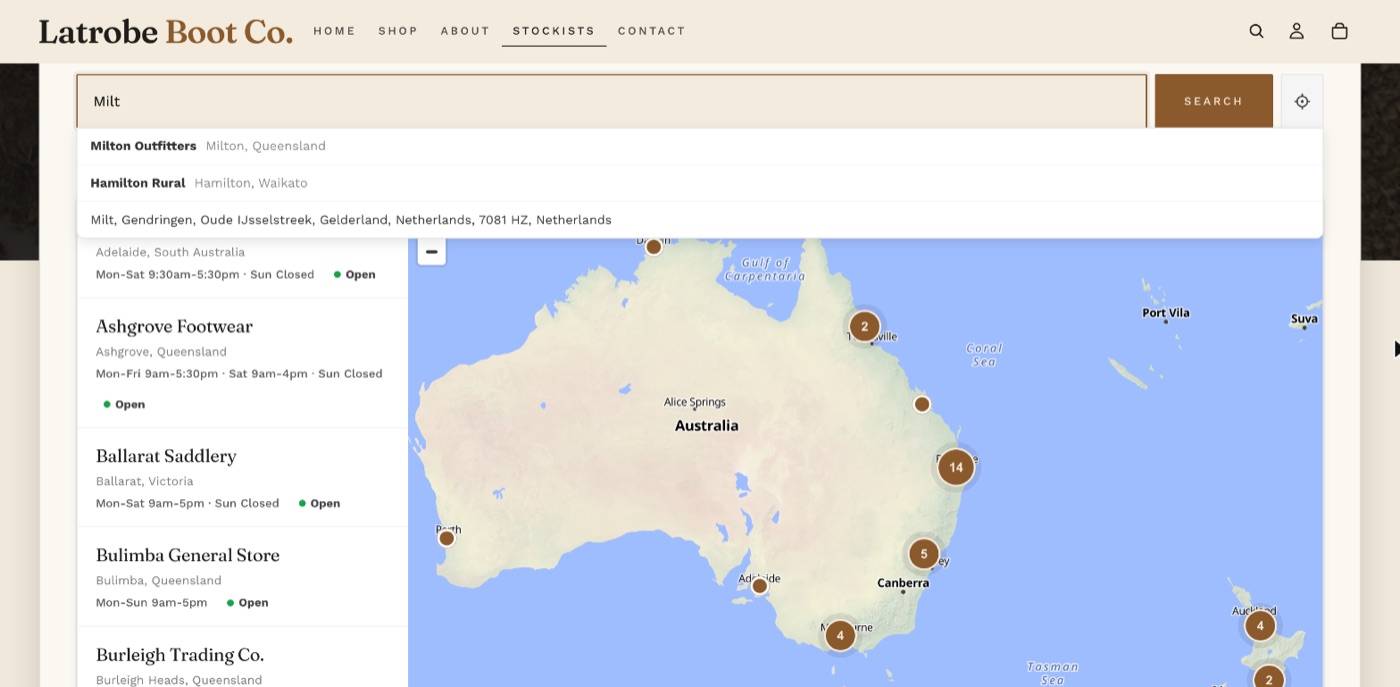
After a search the list shows stockists within the search radius, nearest first, each with its distance. If none are within the radius, the nearest five are shown with a note.
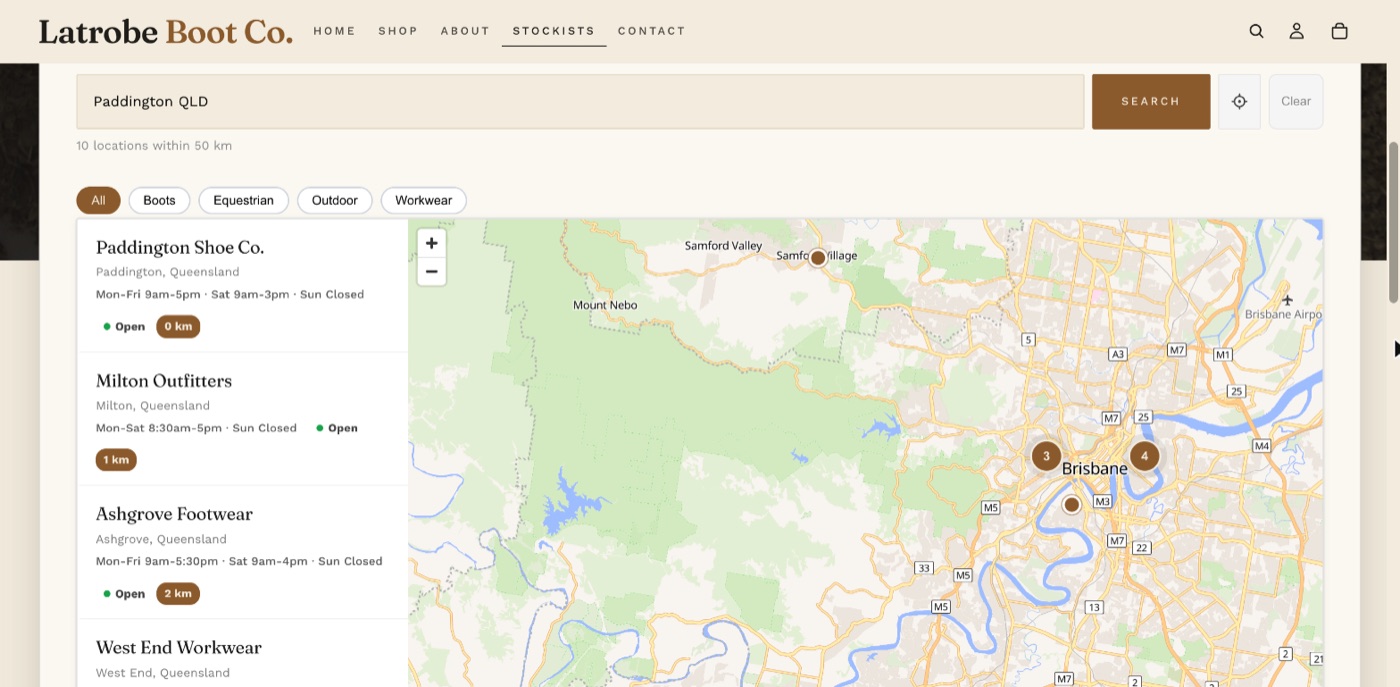
- Typing a stockist's exact name goes straight to that stockist.
- If the words are both a place and part of a name, the place is used and a "Show ..." link under the search box switches to the stockists with that name.
- A place name that exists in more than one country finds the one near your stockists. For an Australian brand, Penrith means New South Wales.
Use my location
The page does not ask for the shopper's location when it opens. A location button beside Search asks, then lists the nearest stockists. A shopper who has already allowed the site sees their nearest stockists straight away.
Filters
Filter buttons appear above the map when two or more categories are in use. See Categories and filter buttons.
Scrolling and zooming
The mouse wheel scrolls the page, not the map. After a click on the map the wheel zooms it, until the pointer leaves the map. The + and - buttons always work.
On a phone
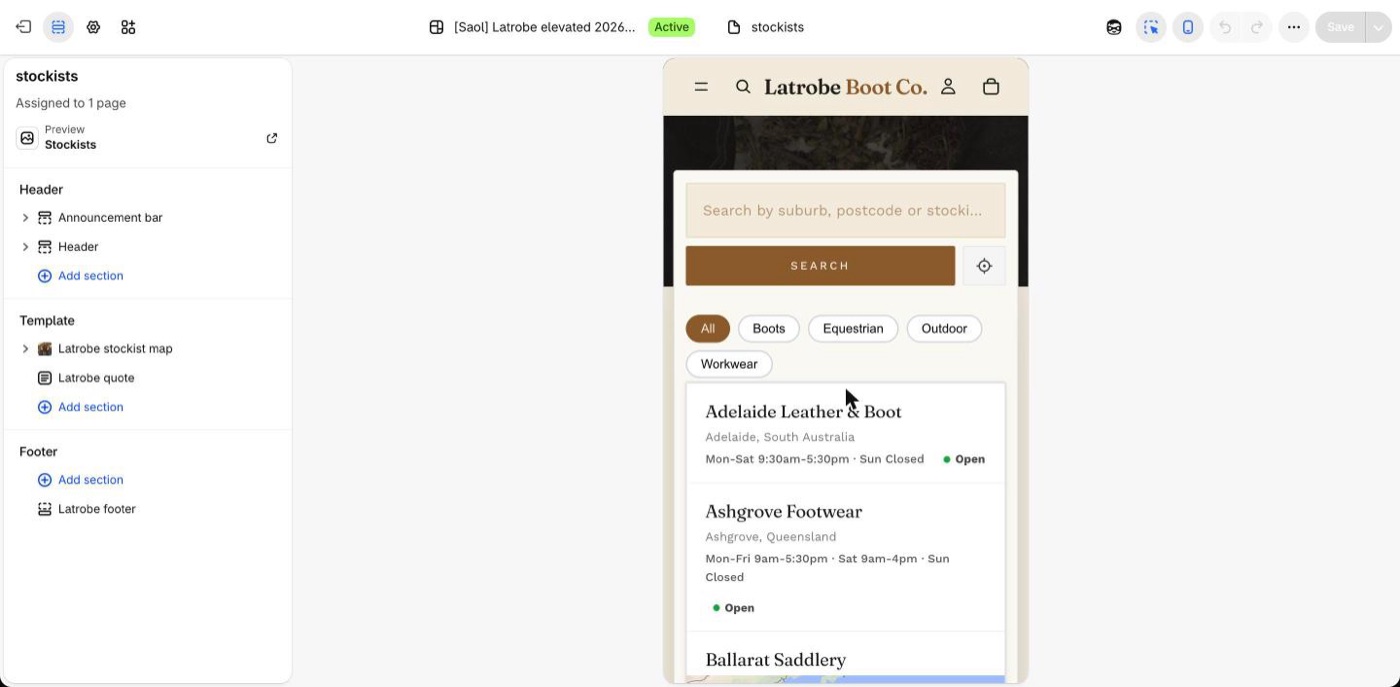
The search box takes its own row, the filters wrap, and the list and map stack. The map can be moved with a finger.
Good to know
- Distances are in kilometres or miles, set in the app's Settings.
- The map loads only on the page where the block is placed, so other pages are not slowed.
- Online-only retailers cannot be pins because they have no address. List them as ordinary text on the page, above or below the map.
Still stuck? Email [email protected] or ask the assistant in the corner of this page. I answer within one business day, Brisbane time.