In the theme editor, select the Saol Stockist Map block to see its settings.
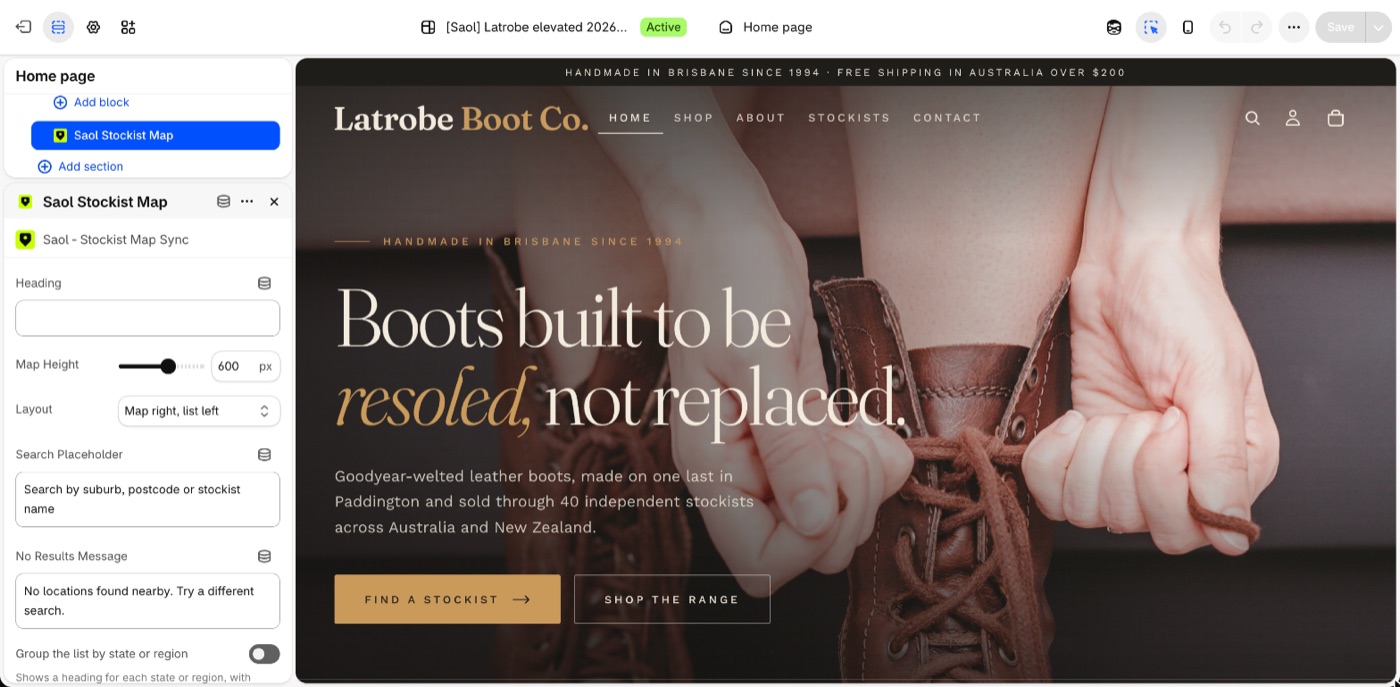
- Heading: the title above the map. Default "Find a Location". It can be cleared.
- Map Height: 300 to 800 px, default 500.
- Layout: "Full-width map", "Map left, list right", or "Map right, list left" (the default).
- Search Placeholder: the grey text in the search box. Default "Search by city, postcode or stockist name". A block added before November 2026 keeps the text it was saved with.
- No Results Message: default "No locations found nearby. Try a different search."
- Group the list by state or region: off by default. Shows a heading for each state or region, with stockists in alphabetical order. Search results stay in distance order.
- Constrain to page width: on by default; matches the width of other content on the page.
Other languages
The text settings can be typed in any language.
Not here
Map style, marker colour, clustering, the search box, units and the default view are in the app's Settings. See The app's Settings page.
Still stuck? Email [email protected] or ask the assistant in the corner of this page. I answer within one business day, Brisbane time.