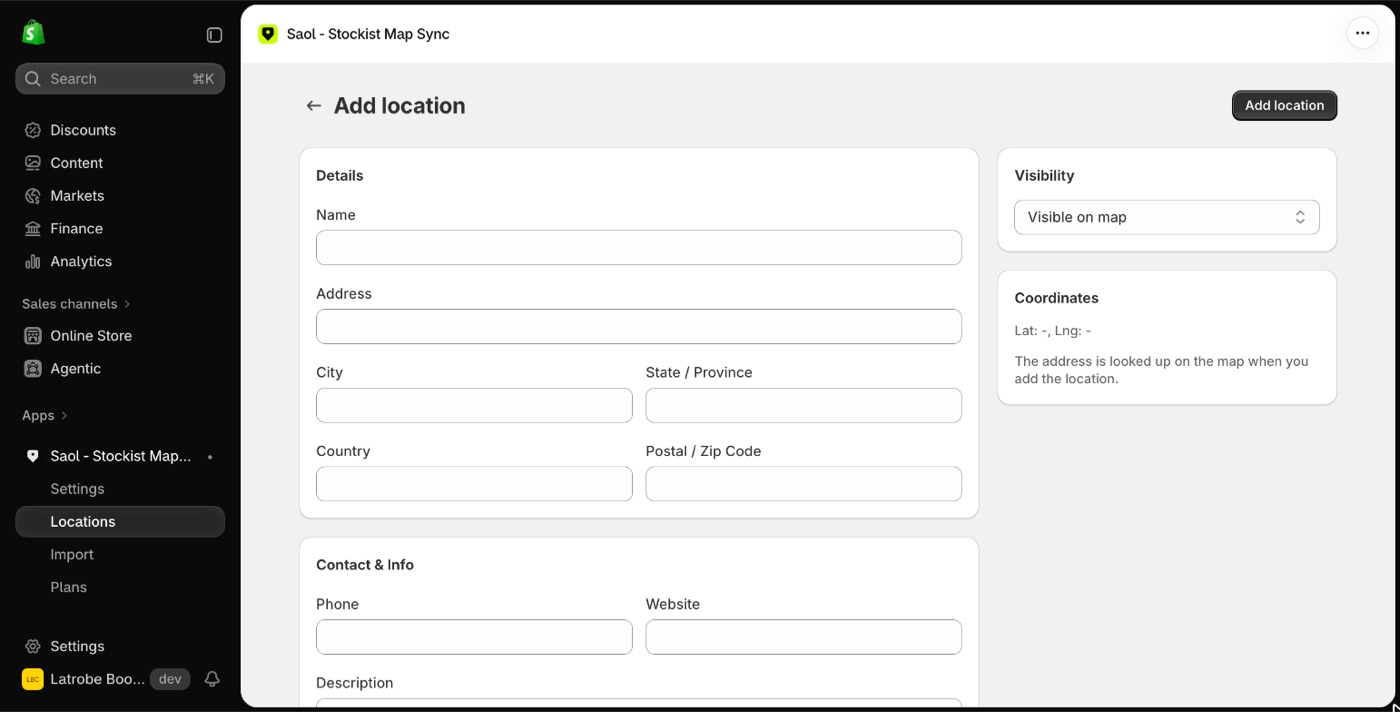
- On the app's Dashboard press Add a location, or on the Locations page press Add location.
- Fill in the name and address. Phone, website, description, category, image and hours are optional.
- Press Add location.
The address is looked up automatically and the pin appears on the map.
If the address cannot be found
You will see "Couldn't find that address on the map". Check the spelling and add the suburb, state, postcode and country.
"Address lookup is unavailable right now" is a temporary problem on the app's side, not with your address. Try again in a few minutes.
Put a pin in an exact spot
Coordinates cannot be typed on the form. To place a pin exactly, import the stockist by spreadsheet with latitude and longitude columns. See Import stockists from a spreadsheet.
Next
- Edit a stockist to add hours, a category or an image.
- Add and remove stockists for removing or hiding one.
Still stuck? Email [email protected] or ask the assistant in the corner of this page. I answer within one business day, Brisbane time.